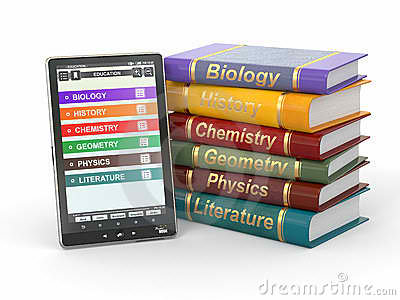
This lesson is trying to aid the inconvenience of having books as the primary medium of instruction wherein every day, students will bring a lot of heavy books. They are suggesting to have a digital-based medium of instruction specifically the use of computers or tablets for convenience. However, tablets-for-learning is still futuristic because of most common reason, finances. Nevertheless, through both books and tablets help in students' learning, we cannot deny the fact that students nowadays would prefer those that are modern.
Educational Technology 2
Miyerkules, Marso 9, 2016
Lesson 17: Tablets for Textbooks in Schools
Lesson 16: The Internet and Education
The Internet also called the net, us the largest and far-flung network system of all systems. Everything in the internet is coordinated through standardized protocol called Transmission Control Protocol/ Internet Protocol. The vast sea of information now in the internet, including news and trivia, is an overwhelming challenge to those who wish to navigate it.

Today schools are gearing up to take advantage of Internet access, where they can plug into the library of congress, make virtual visits to famous museums in the worlds, write to celebrities, and even send questions to heads of states.

Educational software materials have also developed both in sophistication and appeal. There is now a wider choice from rote arithmetic or grammar lessons to discovery and innovation projects. But the real possibility today's is connecting with the worlds outside homes, classroom, and internet classes.
Lesson 15: Understanding Hypermedia
Hypermedia is nothing but multimedia, but this time packed as an educational computer software where information is presented and students activities are integrated in a virtual learning environment. Most educational IT applications are Hypermedia and these include:
Tutorial software

Knowledge Webpages

Simulation instructional games

Learning project management and others

These presentation of information-learning activities in hypermedia is said to be sequenced in a non-linear manner, meaning that the learner may follow his path of activities thus providing an environment of learner autonomy and thinking skills.
Characteristics of Hypermedia Applications
1) Learner Control. The learner makes his own decisions on the path,flow of events of instruction.

2)Learner wide ranges of navigation routes. The learner has a wide range of navigation routes such as by working on concepts, he is already familiar with. He may even if the previous activity is half-completed. He may explore other sections outing to return or complete the previous activity.

3) Variety of media. Hypermedia includes more than one media (text, graphics, audio, animations and video clips) but does not necessarily use all types of media in one presentation. Since only virtual learning activity takes places, it is important from the standpoint of the teacher to optimize the learning process by identifying the characteristics of media application, as well as the advantages and limitations of such as application.

Lesson 14: The Softwate as an Educational Resource
.
In this lesson we will tackle about the software system that could be used in teaching and learning process. The computer is useless if the software is not installed in it. This lesson not just how to use computer or even know what are the parts that comprises a computer. We will begin our lesson by knowing what are the two kinds of software.
2 Kinds of Software
1. The System Software. This is the operating system that is found or bundled inside all computer machines.
2. The Application Software. This contains the system that commands the particular task or solves a particular problem.

In turns the applications software may be:
(a) Custom software that is made for specific tasks often by large corporations.
(b) Commercial software packaged for personal computers that helps with a variety of tasks such as writing papers, calculating numbers, drawing graphs, playing games, and so much more.
Microsoft windows is a series of operating system produced by the Microsoft, it is an operating system between the user and the computer.

Instructional software can be visited in the Internet or can be bought from software shops or dealers.The teacher through his school should decide on the best computer-based instructional (CBI) materials for the school resource collection. But beware since CBIs need much improvement, while web-based educational resources are either extremely good or what is complete garbage.
![]() |
| Instructional Software |
Lunes, Pebrero 29, 2016
Lesson 13: Cooperative Learning with the Computer

Cooperative or Collaboration learning is learning by small groups of students who work together in a common learning task. It is often called group learning but to be truly cooperative learning.
5 Elements are needed:
Common goal
Common goal

Interdependence
Interaction

Individual accountability

Social skills

From several studies made on cooperative learning, it is manifested that cooperative learning in its true sense is advantageous since it:
* Encourage active learning, while motivating students.
* Increase academic performances.
* Promotes literacy and language skills.
* Improves teacher effectiveness.
In addition, there are studies which show that cooperative learning enhances personal and social development among students of all ages, while enhancing self-esteem and improving social relationship between racially and culturally different students.
Cooperative Learning
and the Computer

Researchers have made studies on the learning interaction between students and the computer . The studies have great value since it has been a long standing fear that the computer may foster students learning in isolation that hinders the development of student's social now this mythical fear has been contradicted by studies which show with the computer in group, they cluster and interact with each other for advice and mutual help.
And given the option to work individually or in a group, the student's generally wish to work together in computer-based and non-computer-based activities.Reflecting on this phenomenon, psychologists think the computer fosters this positive social behavior due to the fact that it has a display monitor-just like a television set-that is looked upon something in communal.
Therefore researchers agree that the computer is a fairly natural learning vehicle for cooperative ( at times called primitive ) learning.
Educators are still wary about the computer's role in cooperative learning. Thus they pose the position that the use of computers do not automatically result in cooperative learning. Therefore assign the teacher several tasks in order to ensure collaborative learning. These are:
* Assigning students to mixed-ability.
* Establishing positive interdependence.
* Teaching cooperative social skills.
* Helping groups process information.
Lesson 12: Information Technology in Support of Student-Centered Learning Classroom
Traditional Classroom
Traditional Classroom is where the teacher is the center of the classroom. They are ones who have the authority to fill their pupils knowledge. The students are just listener and all they have to do is to pay attention to what their teacher have always saying.
Student-Centered Learning (SCL)
The SCL is the opposite of the traditional classroom, in this learning process the students are working in the classroom they have the authority to do what they want, and the teacher serves only ad a facilitator . The teacher let her student to discover things through interdependence or even through themselves individually.

In our modern world and with this type of learning process the ICT have a big factor in developing one's skill and creativity in the way of what they want.
Generally the new school classroom environment is characterized by student individually or in a group:
- Performing computer world processing for text or graph presentation.
-Searching for information on the internet
-Brainstorming on ideas, problems and project plans
-As needed, the teacher facilitating instruction, also giving individual instruction to serve individual needs.
But even through SCL is much indeed, most of the teachers used a collaboration of traditional way of learning and the SCL, and so by this the teaching and learning process have much greater success.
Lesson 11: The Computer as the Teacher's Tool

We will study here not just about what a computer is, we will know here what could be the capabilities of the computer in terms of using it as a tool in learning.
Constructivist was introduced by Piaget (1981) and Bruner (1990). They gave stress to knowledge discovery of new meaning/concepts/principles in the learning process. Various strategies have been suggested to foster knowledge discovery, among these, is making students engaged in gathering unorganized information from which they can include ideas and principles. Students also apply discovered knowledge applicable to real life situation.
While knowledge is constructed by the individual learner in constructivism, knowledge can also be socially constructed. Social constructivism this is an effort to show that the construction of knowledge is governed by social, historical and cultural contexts . In effect, this is to that the learner who interpret knowledge has a predetermined point of view according to the social perspectives of the community or society he lives in.
Learning Framework
|
Constructivism
|
Social Constructivism
|
Assumption
|
Knowledge is constructed by the individual.
|
Knowledge is constructed within a social context.
|
Definition of Learning
|
Students build their own learning.
|
Students build knowledge influenced by the social context.
|
Learning Strategies
|
Gather unorganized information to create new concept/principle
|
Exchange and share from ideas, stimulates thinking.
|
General Orientation
|
Personal discovery of knowledge.
|
Students discuss and discover meanings
|
Example
|
8*5-8+8+8+8+8
|
Two alternative job offers option 1-8 hrs/day for 6 days/week
Option 2-9 hrs/day for 5 days/week
|
The Computer's Capabilities
Given its present-day speed, flexibility and sophistication, the computer can provide access to information, foster creative social knowledge building, and enhance the communication of the achieved project package. Without the computer, today's leanings may still be assuming the tedious task of low-level information gathering, building and new knew knowledge packaging. But this is not so, since the modern computer can help teacher-and-students to focus on more high level cognitive tasks. Based on the two learning theories, the teacher can employ the computer as a/an:
* A communication tool
* A constructive tool
* As co-constructive tool
* A simulation tool
Informative Tool

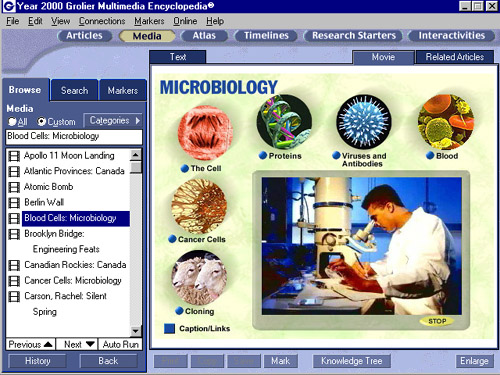
The computer can provide vast amounts of information in various forms, such as text, graphics, sound and video. Even multimedia encyclopedias are today available on the internet. The internet itself provides and enormous database from which user can access global information resources that includes the latest news, weather forecast, airline schedule, sports development, entertainment news and features, as well as educational information directly useful to learners. The internet on educational can be sourced for kinds of educational resources on the internet.
The computer itself can be used for manipulating information, visualizing one's understanding and building new knowledge. The Microsoft Word computer program itself is a desktop publishing software that allows uses to organize and present their ideas in attractive formats.
Students can use constructive tools to work cooperatively and construct a shared understanding of new knowledge. On ways of co-constructive is the use of the electronic whiteboard where students may post notices to a shared document/whiteboard. Students may also co-edit the same document from their homes.
By means of virtual reality (RS) extension systems, the computer can create 3-D images in display to give the user the feeling that are situated in a virtual environment . A flight simulation program is an example of situating tool.
Mag-subscribe sa:
Mga Komento (Atom)